Our free art tools help you find colors, plan paintings, and get new ideas, right in your browser. There is nothing to install, no account to create, and your images never leave your device. Pick a tool below and start creating.
Free Color Tools Find, name, mix, and combine colors.
Color Picker from Image Get the HEX, RGB, HSL, and CMYK code of any pixel in a photo, plus its color name and a full palette. Open the tool → Color Wheel Find complementary, analogous, triadic, and tetradic colors, with tints and shades. Open the tool → Color Mixer Mix two or more colors in any amounts and see the result instantly. Open the tool → Color Palette Generator Create random color schemes or a palette from your image and save it as a PDF. Open the tool → Color Name Finder Type a HEX or RGB code or tap a photo and get the closest color name with similar shades. Open the tool → Random Color Generator Get random colors and palettes with codes, color names, and paint mixing recipes. Open the tool → Tint and Shade Generator Make tints, shades, and tones of any color, with contrast checks and painting tips. Open the tool → Color Blindness Simulator See your image or palette the way people with red, green, or blue color blindness see it. Open the tool →
Free Photo and Image Tools Turn photos into drawings, coloring pages, and studies.
Free Drawing and Composition Tools Plan, compose, and transfer your drawings.
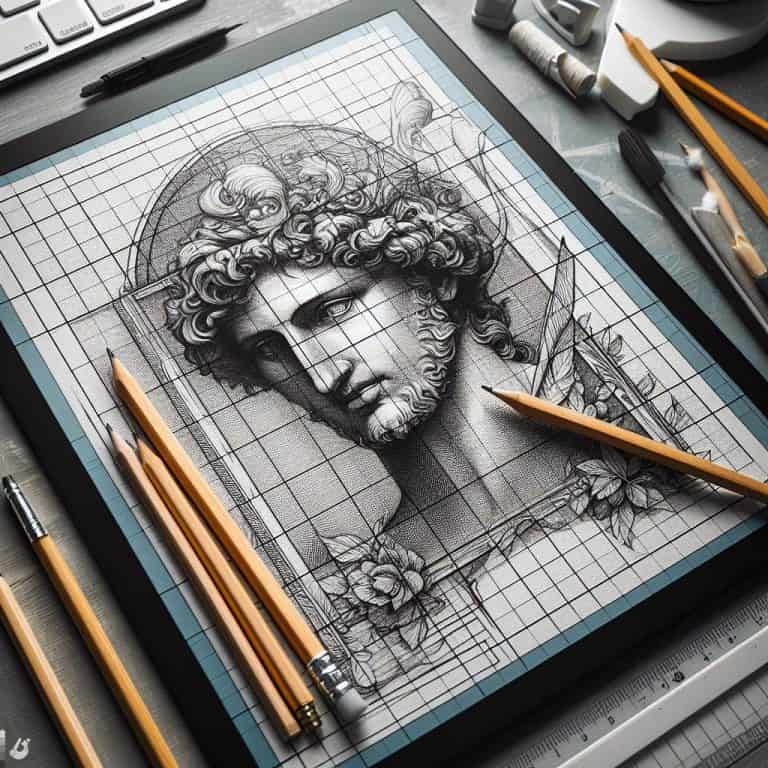
Art Grid Tool Put a drawing grid over any photo and download it to copy the image by hand. Open the tool → Pose Reference Practice figure and gesture drawing with timed, public domain pose references. Open the tool → Graph Paper Printable Print graph paper, dot grid, isometric, hexagon, and calligraphy paper to scale as PDF, PNG, or SVG. Open the tool → Aspect Ratio Calculator Find the aspect ratio of any image, scale artwork to a canvas size, and plan the grid method. Open the tool → DPI Calculator Find the largest sharp print size for your image and the pixels you need for any print. Open the tool → Calligraphy Practice Sheets Print calligraphy and hand lettering guidelines with slant lines and tracing text. Open the tool → Tracing Worksheets Make tracing worksheets with letters, numbers, shapes, and pre-writing lines. Open the tool → Online Drawing Board Draw and paint online with pencil, ink, watercolor, layers, symmetry, a grid, and tracing. Open the tool → Golden Ratio Calculator and Overlay Check your composition with a golden spiral, phi grid, rule of thirds, and dynamic symmetry. Open the tool → Perspective Grid Generator Print one-, two-, and three-point perspective grids and isometric paper. Open the tool → Mandala Maker Draw symmetrical mandalas and kaleidoscope art, then print them as coloring pages. Open the tool → Picture Frame and Mat Size Calculator Work out mat openings, mat and frame sizes, and the largest print size for your image. Open the tool →
Free Idea and Business Tools Find ideas and price your work.
Art Prompt Generator Random prompts for drawing, acrylic, watercolor, and oil painting. Open the tool → Character Art Prompt Generator Combine traits, skills, looks, and creatures into an original character. Open the tool → Art Quiz Guess famous paintings, artists, styles, and years, with a short explanation after every answer. Open the tool → Art Pricing Calculator Find a fair price for your paintings and prints, with commission and price lists. Open the tool →
Frequently Asked Questions
Are These Art Tools Really Free? Yes. All tools on this page are completely free to use, without an account and without limits.
Do I Need to Install Anything? No. Every tool runs directly in your web browser on a computer, tablet, or phone.
Are My Images Uploaded? No. Tools that work with your images, such as the color picker, photo to sketch, and the art grid tool, process them directly in your browser. Your pictures are not sent to our server.